착한유령의 창고
 JKS 키스토어 등록
-
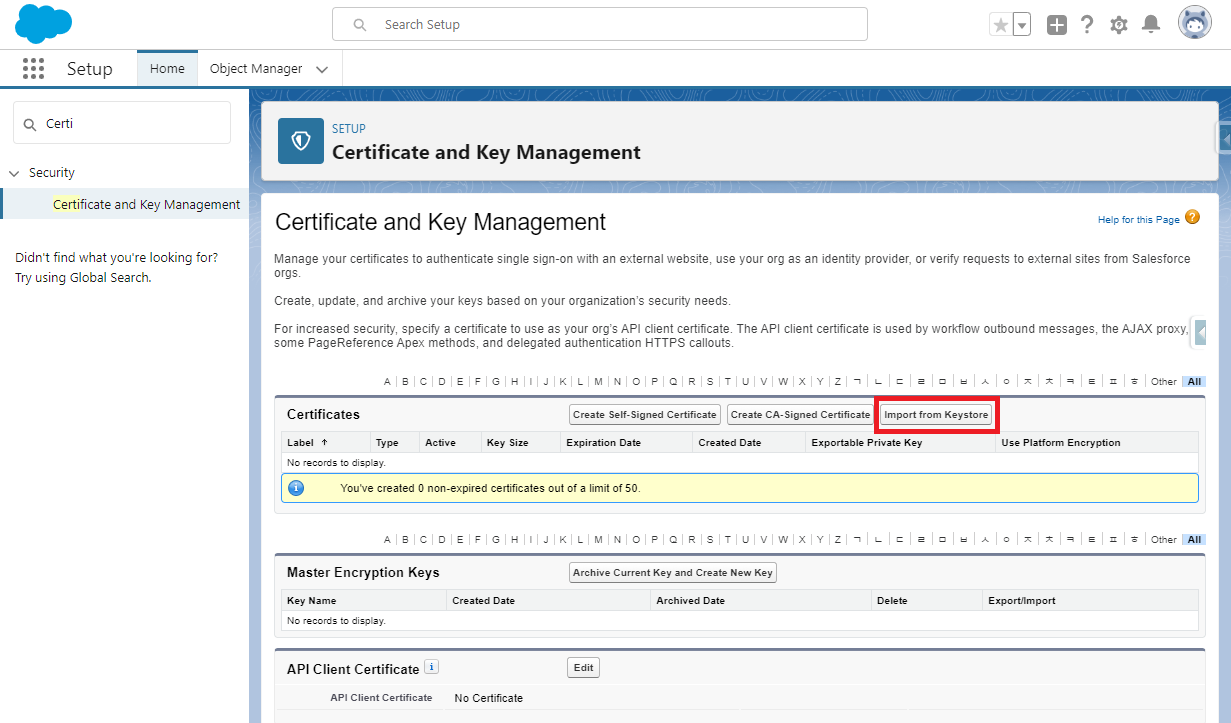
세일즈포스에 로그인 한 후, Setup > Security > Certificate and Key Management로 이동합니다.
-
Import from Keystore를 클릭합니다.
-
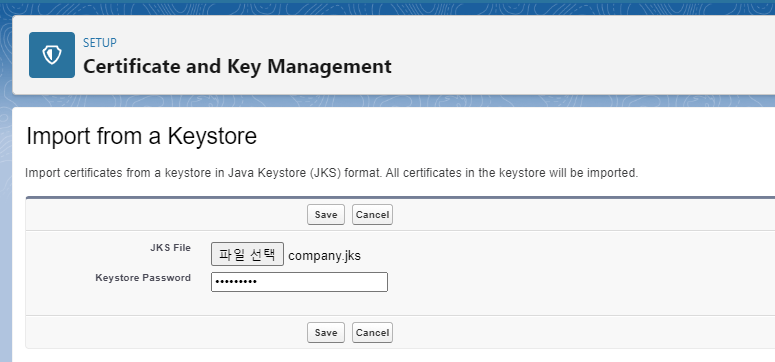
임포트할 JKS 파일을 선택하고 키스토어 암호를 입력한 후 Save 버튼을 클릭합니다.
** 참고사항**
만약 임포트가 성공하지 못하고 아래와 같은 오류가 발생을 하면 다음의 절차를 따릅니다.
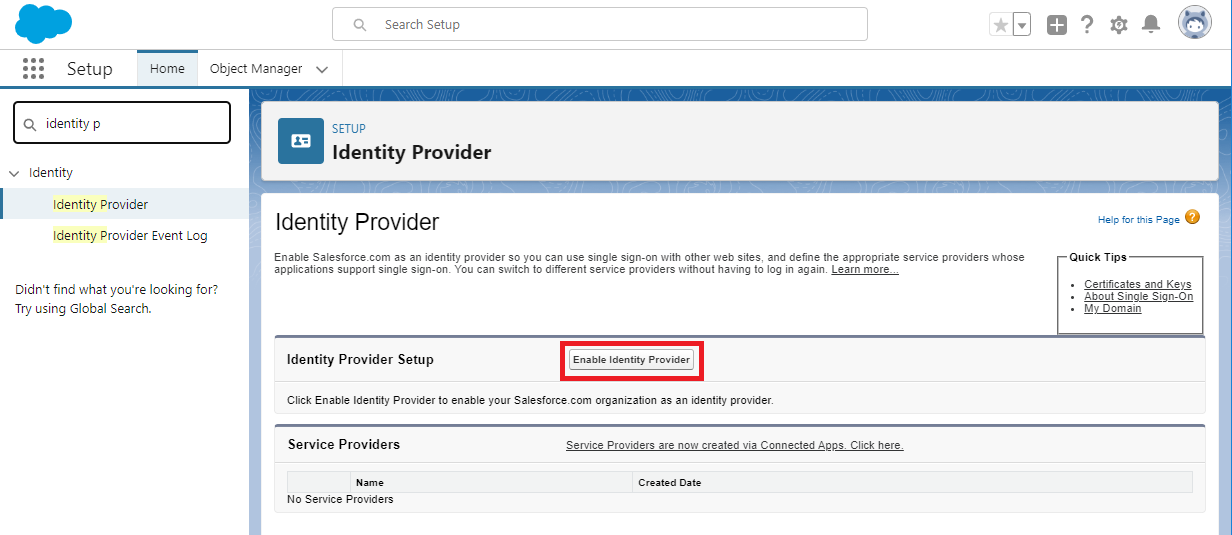
Data Not Available The data you were trying to access could not be found. It may be due to another user deleting the data or a system error. If you know the data is not deleted but cannot access it, please look at our support page.- Setup > Identity Provider 메뉴로 이동합니다.
-
Enable Identity Provider 버튼을 클릭합니다.
-
1년 유효기간의 Self-sign 키를 만들며 Identity Provider가 활성화 됩니다.
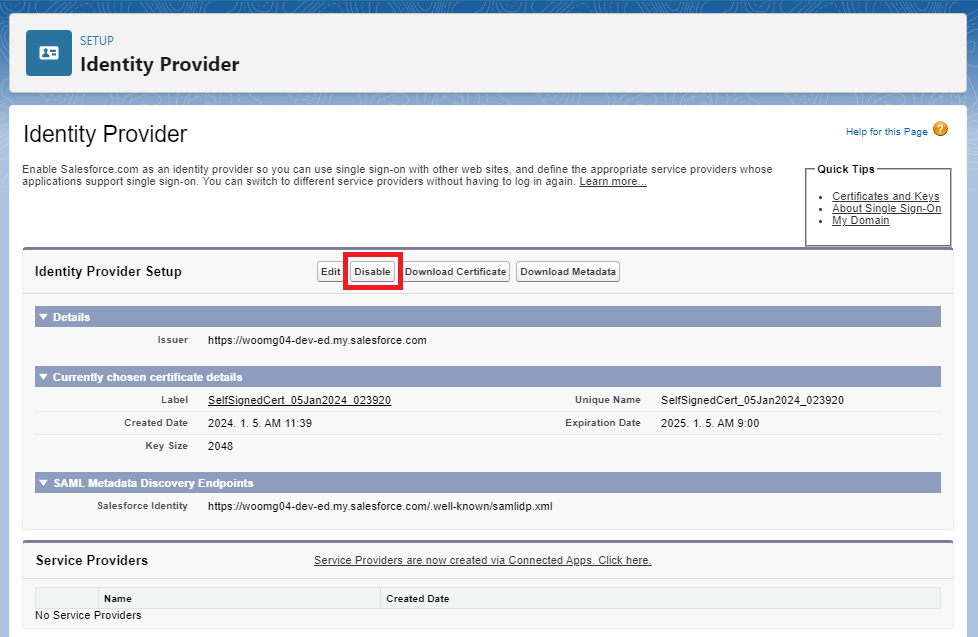
- Disable 버튼을 클릭하여 비활성화를 하여도 됩니다.
- Certificate and Key Management 메뉴로 이동한 후 Import from Keystore 버튼을 클릭하여 키스토어 임포트를 다시 진행합니다. —–
-
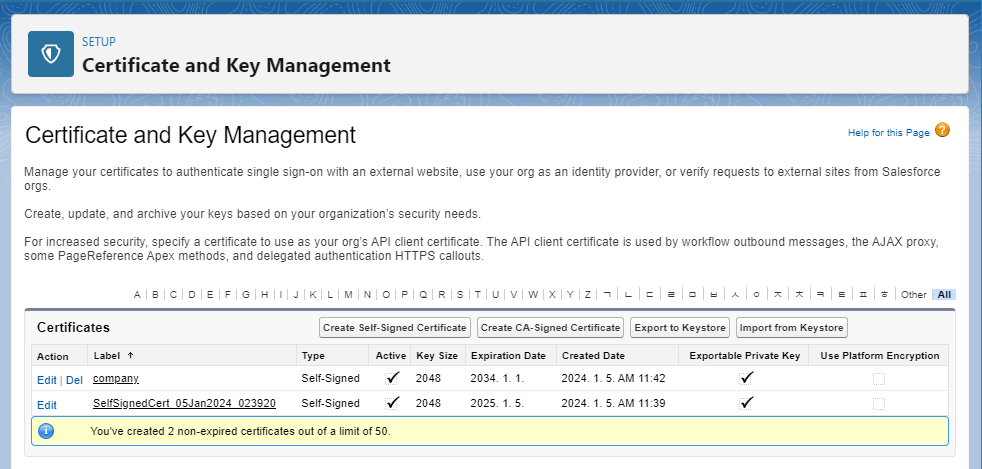
등록된 키스토어를 확인합니다. company라는 이름의 JKS 키스토어가 등록된 것을 확인할 수 있습니다.